Open in the app to sign in, vote and reply

Help · Done

Sending an action notification with buttons

· · 0 votes · 3 comments · marked done by on 2026-09-24

I am having trouble figuring out the format of sending a prompt of type "action" to a player with buttons.

I am at the options but I've looked through the code and through the documentation and cannot figure out what the key of the buttons and how they should look.

Here is my current code:

CommandAPI.prompt("action", task.caller, "This script uses HttpService, are you sure you want to load it?", {
					title = "Dangerous Script",
					duration = 20,
					color = Color3.fromRGB(255, 49, 49),
					dismissable = false,
					
				})

Section of the docs I used: https://hdadmin.com/server-api/#prompt-shared
Solved by · See the solution

Comments

·

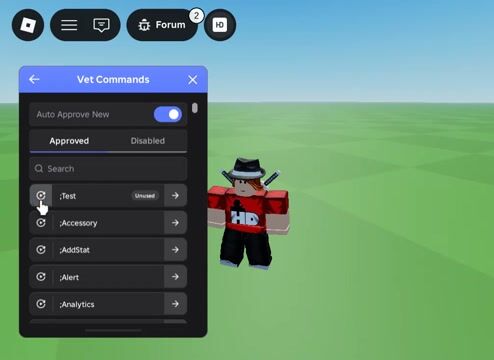
Is this within a command module? if so all looks good. i've just tested in studio and your code works perfectly fine (see video):

Attachment 1
--!strict
-- LOCAL
local TAGS = {script.Name}
local CommandAPI = require(script:FindFirstAncestor("HD Admin").Core.CommandAPI)


-- COMMANDS
local commands: CommandAPI.Commands = {

	--------------------
	{
		name = "Test",
		args = {"Player"},
		tags = TAGS,
		run = function(task: CommandAPI.Task)
			CommandAPI.prompt("action", task.caller, "This script uses HttpService, are you sure you want to load it?", {
				title = "Dangerous Script",
				duration = 20,
				color = Color3.fromRGB(255, 49, 49),
				dismissable = false,
			})
		end,
	},--]]

	--------------------

}


return commands

· · in reply to Roblox player

The promp shows but there aren't any buttons.

I should've been more clearer: my issue is with figuring out how to add buttons to the notification.

· Solution

ah gotcha! i've just re-read the docs https://hdadmin.com/server-api/#prompts and you're right, that needs more details on adding buttons to action prompts, etc. i've made a note and will get that updated soon:

here's an example in the meantime of how you can add buttons:

--!strict
-- LOCAL
local TAGS = {script.Name}
local CommandAPI = require(script:FindFirstAncestor("HD Admin").Core.CommandAPI)


-- COMMANDS
local commands: CommandAPI.Commands = {

	--------------------
	{
		name = "Test",
		args = {"Player"},
		tags = TAGS,
		run = function(task: CommandAPI.Task)
			task:keep("UntilCallerLeaves") -- this is essential to keep the task alive so the prompt doesn't disappear within commands
			task:bindPrompt({
				title = "Dangerous Script",
				text = "This script uses HttpService, are you sure you want to load it?",
				audience = task.caller,
				duration = 20,
				deactivate = false,
				endOnClose = true,
				buttons = {
					{
						label = "Load",
						onActivate = function()
							print("Load was clicked!")
							task:destroy()
						end,
					},
					{
						label = "Cancel",
						style = "Neutral",
						onActivate = function()
							print("Cancel was clicked!")
							task:destroy()
						end,
					},
				},
			})
		end,
	},

	--------------------

}


return commands
Video: Attachment 1
Video: Attachment 1

thanks for the heads up!